 Skip to content
Introduction
Artificial intelligence tools have become deeply integrated into daily digital life, from writing assistance and coding support to customer service automation and content creation. So when users suddenly experience interruptions in access to a major AI platform like ChatGPT, it quickly becomes a global talking point.
Recently, search interest for “is ChatGPT down” has surged, especially in the United States and other tech-heavy regions, as users reported difficulties accessing the service, slow responses, and unexpected error messages. This has raised important questions about AI infrastructure reliability, server stability, and what users can do when these platforms temporarily go offline.
In this article, we break down what “ChatGPT down” really means, why such outages happen, how users are affected, and what alternatives exist during downtime.
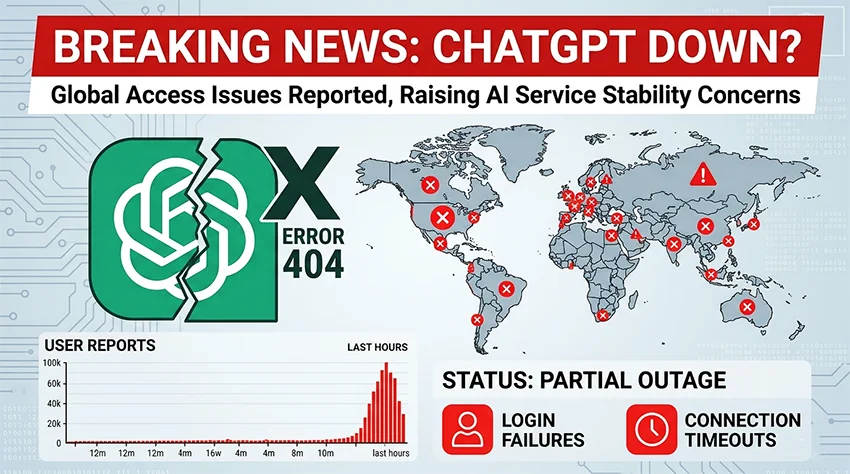
What Does “ChatGPT Down” Actually Mean?
When users search “is ChatGPT down,” it typically refers to one of the following issues:
1. Complete Service Outage
This is when ChatGPT becomes fully inaccessible. Users may see:
- Blank screens
- Login failures
- “Something went wrong” errors
2. Partial Service Disruption
Sometimes the system is not fully down but experiences:
- Slow response times
- Incomplete answers
- Message generation failures
3. Regional Access Issues
In some cases, the platform may work in one region but not another due to:
- Server load balancing
- Regional infrastructure issues
- Internet routing problems
4. API or Feature-Specific Downtime
Developers using ChatGPT API may face issues even when the main website works normally.
Why Do AI Platforms Like ChatGPT Go Down?
Large-scale AI systems depend on complex cloud infrastructure, which means several factors can lead to downtime.
1. High User Traffic Surge
One of the most common reasons is sudden spikes in usage. When millions of users try to access the system at the same time:
- Servers become overloaded
- Response queues increase
- Temporary outages occur
This often happens after viral trends or global news events.
2. Server Maintenance and Updates
AI platforms frequently undergo:
- Model upgrades
- Security patches
- Infrastructure scaling
During these updates, short-term downtime or instability may occur.
3. Cloud Infrastructure Issues
ChatGPT runs on large cloud systems. Any disruption in:
- Data centers
- Network routing
- Storage systems
can impact service availability.
4. API Overload or Rate Limiting
When too many requests are sent at once:
- Requests may fail
- Users may get error messages
- System temporarily blocks excess traffic
5. Cybersecurity Protection Measures
In rare cases, systems may temporarily limit access due to:
- Suspicious traffic
- Bot attacks
- Security threats
This is done to protect user data and system stability.
Users flood social platforms with complaints and memes during AI outage events.
How Users Are Affected When ChatGPT Goes Down
The impact of downtime is more serious than just inconvenience, especially for professionals who rely on AI daily.
1. Content Creators and Bloggers
- Writing delays
- SEO workflow interruptions
- Reduced productivity
2. Developers
- API failures affecting applications
- Broken AI-powered tools
- Testing delays
3. Businesses
- Customer service disruptions
- AI chatbot downtime
- Workflow automation delays
4. Students and Researchers
- Loss of study assistance tools
- Interrupted learning sessions
- Delayed assignments or research tasks
How to Check If ChatGPT Is Really Down
Before assuming a full outage, users should verify the issue:
1. Check Internet Connection
Many “ChatGPT down” reports are actually local network issues.
2. Try Refreshing or Re-login
Temporary session errors often resolve with a simple refresh.
3. Test on Another Device
If it works on mobile but not desktop, the issue is local.
4. Look for Error Patterns
- “Network error” = connectivity issue
- “Too many requests” = rate limit
- “Internal server error” = system issue
5. Wait and Retry
Most outages are resolved within minutes or hours.
What Happens Behind the Scenes During an Outage?
When ChatGPT experiences downtime, engineering teams typically follow a structured response:
Step 1: Detection
Automated monitoring systems detect abnormal behavior instantly.
Step 2: Traffic Redistribution
User requests are rerouted to stable servers if possible.
Step 3: Issue Diagnosis
Engineers identify whether the issue is:
- Hardware failure
- Software bug
- Traffic overload
Step 4: Fix Deployment
A patch or rollback is applied to restore functionality.
Step 5: Recovery Monitoring
Systems are monitored to ensure stability after recovery.

Global Impact of ChatGPT Downtime
As AI becomes more widely used, even short disruptions can have global effects:
In the United States
- High search volume spikes for “is ChatGPT down”
- Productivity disruption in tech companies
- Increased reliance on backup tools
In Asia and Europe
- Developers switch to alternative APIs
- Students use backup AI tools
- Businesses temporarily adjust workflows
In Content Creation Industry
- SEO writers face delays
- Marketing teams pause automation tasks
- Social media scheduling tools are affected
Alternatives Users Turn to During Downtime
When ChatGPT is unavailable, users often switch to other AI tools or manual methods.
1. Other AI Writing Assistants
Users may try alternative platforms for:
- Text generation
- Coding help
- Research assistance
2. Traditional Search Engines
Google and Bing remain essential fallback tools.
3. Offline Productivity Tools
- Word processors
- Note-taking apps
- Local coding environments
How to Prepare for Future AI Downtime
Professionals who rely on AI should always have a backup strategy:
1. Use Multiple Tools
Do not depend on a single AI platform.
2. Save Important Outputs
Keep offline copies of critical AI-generated content.
3. Build Hybrid Workflow
Combine AI with manual writing and editing.
4. Monitor Service Status Regularly
Stay updated on platform performance trends.
The Bigger Picture: AI Reliability in the Future
The rise in searches like “is ChatGPT down” highlights a bigger issue—AI dependency.
As AI becomes more embedded in:
- Education
- Business operations
- Content creation
- Software development
reliability will become just as important as intelligence.
Future improvements may include:
- More distributed cloud systems
- Self-healing infrastructure
- Faster failover systems
- Improved load balancing algorithms
This will significantly reduce downtime in the coming years.
Conclusion
The surge in searches for “is ChatGPT down” reflects how deeply AI has become part of modern digital workflows. While occasional outages are normal for large-scale cloud-based systems, they highlight the importance of infrastructure resilience and user preparedness.
For now, most disruptions are temporary and resolved quickly, but they serve as a reminder that even the most advanced AI systems are not immune to technical challenges. Users who stay informed and maintain backup tools can continue working smoothly even during unexpected downtime.
FAQs
1. Why does ChatGPT sometimes stop working?
ChatGPT may stop working due to server overload, maintenance updates, or temporary technical issues in cloud infrastructure.
2. How long do ChatGPT outages usually last?
Most outages last from a few minutes to a couple of hours, depending on the severity of the issue.
3. What should I do if ChatGPT is not loading?
Check your internet connection, refresh the page, try another device, and wait a few minutes before retrying.